Stop Sharing Passwords in Slack: Introducing Secure Credential Cards
 Pankaj Sharma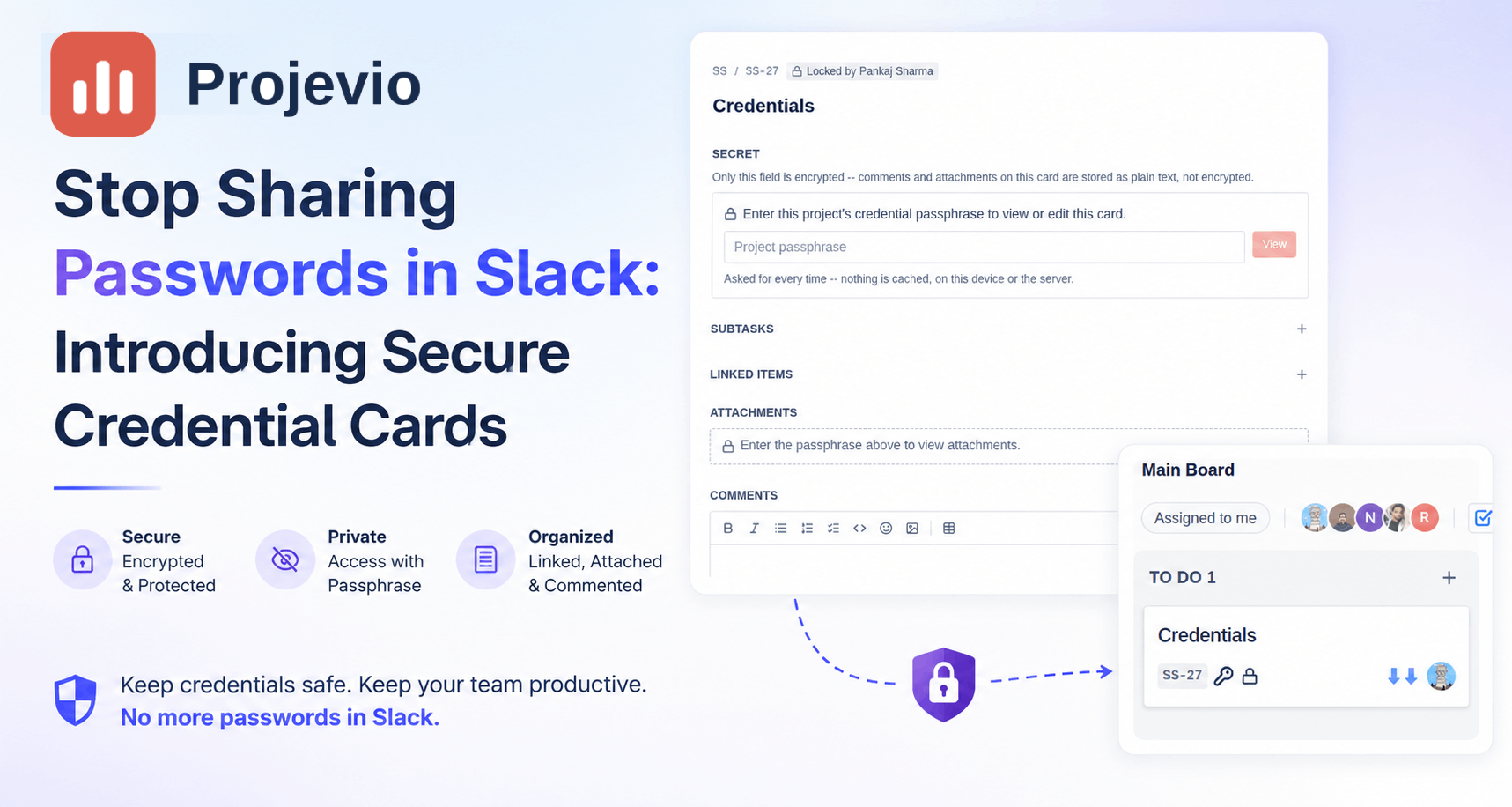
Every team hits this moment: someone needs the staging database password, or the API key for a third-party service, or the login for a client's ad account. And where does it usually live? Scattered across DMs, a pinned Slack message from eight months ago, a shared doc nobody remembers to update, or — worst of all — a sticky note.
Projevio now has a better answer, built directly into the place your team already works: the board.
A card built for one job: keeping a secret
A Credential card looks like any other card on your board — it has a title, a status, an assignee, comments, attachments. But it carries one additional field that no other card type has: a single, encrypted Secret. That's where the password, the API token, the recovery codes, or the shared login goes.
Everything else about the card behaves exactly like you'd expect. You can write a rich, formatted note in the Secret field — bold the username, bullet out a list of backup codes, add a line about who to contact if it stops working. It's a real editor, not a plain text box.
Locked behind a passphrase your team controls
Here's the part that makes it actually secure, not just "hidden": each project has its own passphrase, set by an org or project admin in Settings → Credential Key. That passphrase is the only thing capable of unlocking the encryption on that project's credential cards — Projevio itself never stores it.
When a teammate opens a credential card for the first time, they're asked for the project's passphrase. Get it right, and the secret decrypts. Get it wrong, and nothing happens — no hints, no fallback, no "forgot password" link, because there's nothing to reset. The passphrase is the key.
We deliberately chose not to remember that passphrase between sessions. Close the card, refresh the page, come back tomorrow — you'll be asked again. It's a small amount of friction in exchange for a real guarantee: nothing about your credentials sits cached anywhere waiting to be found.
Rotating the key, for real
Security hygiene means changing shared passwords periodically — and Credential Cards are built for that from day one. When an admin rotates a project's passphrase, Projevio doesn't just swap out a check at the door. It actually re-encrypts every credential card in that project with a brand-new key, right then and there.
That means the old passphrase doesn't just get "revoked" — it genuinely can no longer decrypt anything, anywhere, the moment rotation completes. If a passphrase ever leaks, or someone leaves the team, rotating it closes the door completely.
What's not encrypted, on purpose
To keep this feature simple and predictable, only the Secret field itself is encrypted. Comments and attachments on a credential card are stored the same way they are on any other card — visible to anyone who can already see the card. We show a clear note on every credential card as a reminder, and attachments stay hidden from view until the passphrase has been entered at least once, so nothing shows up before someone's actually unlocked the card.
If you need to discuss a credential in comments, treat it the way you'd treat any other internal conversation — useful for context, not a place to paste the password itself.
Where it fits
Credential Cards live alongside Tasks, Bugs, Stories, and Epics as just another card type — searchable, assignable, trackable through your workflow like everything else. The difference is what's inside: a password manager's discipline, without leaving your project board.
Have a team that's still passing credentials around in chat? Try creating your first Credential card today — Settings → Credential Key is where it starts.
Written by
Pankaj Sharma