Title: Projevio: A Free Jira Alternative with a Progressive Web App for Project Management
 Pankaj Sharma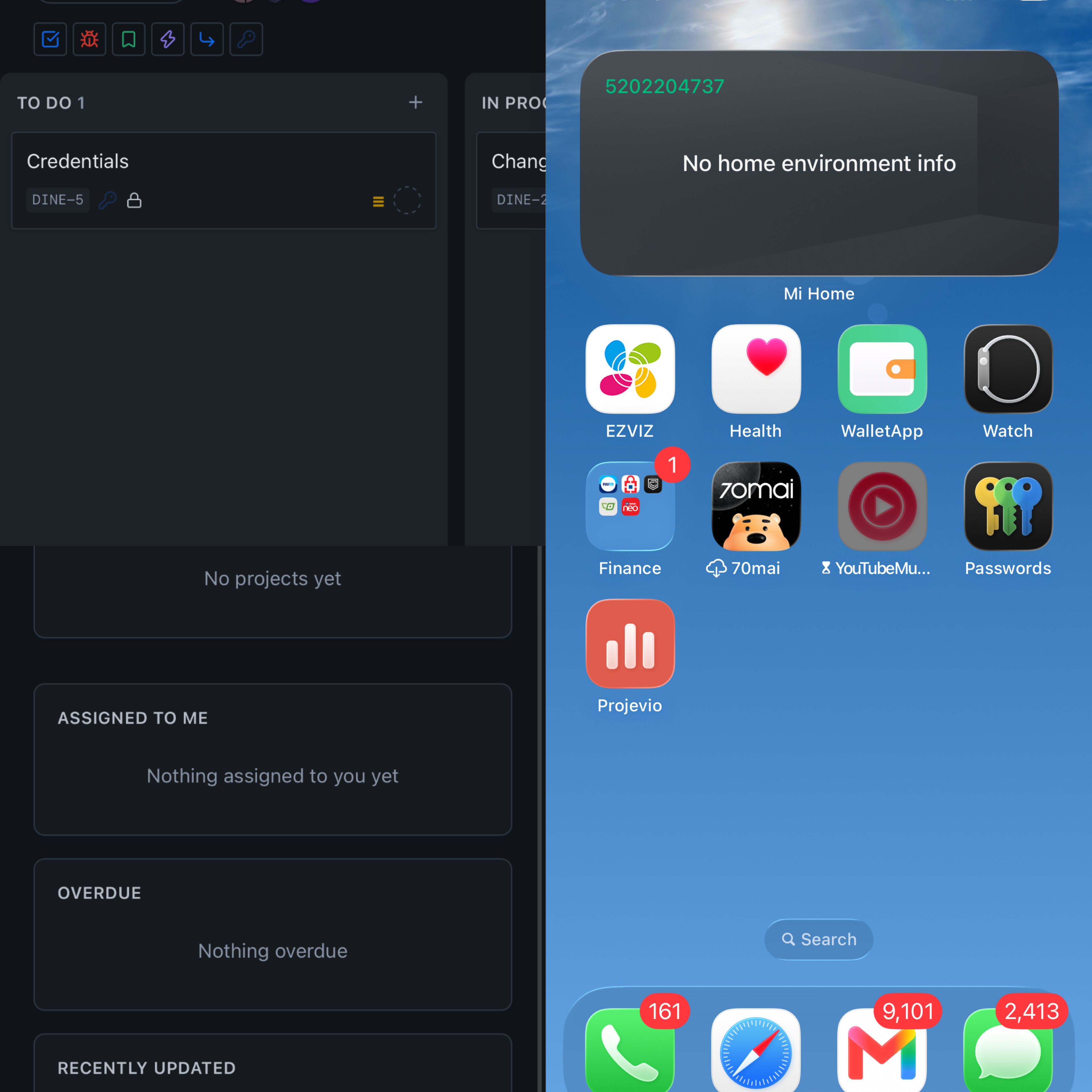
Modern teams need project management software that works wherever they work. Whether you're managing software development, client projects, marketing campaigns, internal tasks, or day-to-day business operations, having access to your projects from both desktop and mobile devices is essential.
Projevio is a project management system designed to give teams a simpler way to organize projects, manage tasks, collaborate with team members, and keep work moving.
For teams looking for a free Jira alternative, Projevio provides a modern project management experience without requiring users to install complicated desktop software. Because Projevio is available as a Progressive Web App (PWA), you can also use it from your smartphone and add it to your home screen just like an app.
What Is Projevio?
Projevio is an online project management system that helps teams organize their work in one place.
Instead of managing projects across spreadsheets, emails, chat messages, and multiple disconnected tools, teams can use Projevio to keep their projects and tasks organized.
It can be useful for:
Software development teams
Web and mobile development agencies
Marketing teams
Small businesses
Freelancers
Startups
Remote teams
Client project management
Internal business projects
The goal is simple: give teams a straightforward place to plan work, assign tasks, track progress, and collaborate.
Projevio as a Free Jira Alternative
Jira is one of the most widely known project and issue management platforms, particularly among software development teams. However, not every team needs the complexity of a large enterprise-focused platform.
For smaller teams and businesses, a project management tool should ideally be:
Easy to learn
Quick to set up
Accessible from anywhere
Suitable for different types of projects
Available on desktop and mobile
Affordable or free
This is where Projevio can be considered as a free Jira alternative.
Rather than requiring users to build complicated workflows before they can start managing their work, Projevio focuses on providing a practical project management environment that teams can start using quickly.
Manage Projects and Tasks from One Place
A project management system is most useful when the entire team can see what needs to be done and who is responsible for it.
With Projevio, teams can organize their work into projects and tasks, making it easier to understand:
What work needs to be completed
Who is responsible for each task
What is currently in progress
What has been completed
Which tasks need attention
What work is coming next
This gives project managers and team members a shared view of project progress.
Projevio Is a Progressive Web App
One of the useful aspects of Projevio is that it can work as a Progressive Web App (PWA).
A Progressive Web App is a website that can provide an app-like experience. Instead of downloading an application from an app store, users can access the web application through their browser and, when supported, install it on their device.
This means you can use Projevio from:
Desktop computers
Laptops
Android phones
iPhones
Tablets
You don't necessarily need a traditional mobile application installation to access your projects on your phone.
How to Install Projevio on an Android Phone
Installing a PWA on Android is straightforward.
Step 1: Open Projevio
Open the Projevio website using Google Chrome on your Android phone.
Step 2: Sign in
Log in to your Projevio account.
Step 3: Open the Browser Menu
Tap the three-dot menu in the top-right corner of Chrome.
Depending on your device and browser version, you may see an option such as:
Install app or Add to Home screen.
Step 4: Install Projevio
Select the installation option and follow the instructions displayed by Chrome.
Once installed, a Projevio icon can appear on your phone's home screen.
You can then open Projevio directly from the icon instead of manually entering the website address every time.
How to Add Projevio to an iPhone
You can also use Projevio on an iPhone through Safari.
Step 1: Open Projevio in Safari
Open the Projevio website using Safari on your iPhone.
Step 2: Sign in
Log in to your Projevio account.
Step 3: Tap the Share Button
Tap the Share button in Safari.
Step 4: Select "Add to Home Screen"
Scroll through the available options and select:
Add to Home Screen
Step 5: Add Projevio
Confirm the installation by tapping Add.
Projevio will then appear on your iPhone's home screen and can be launched like other applications.
Why Use a PWA Instead of a Traditional Mobile App?
A Progressive Web App has several advantages for project management software.
No App Store Download Required
Users can access Projevio directly through a web browser. This reduces the friction of asking every team member to find and install a separate application.
Works Across Devices
The same Projevio account can be accessed from a desktop, laptop, tablet, Android phone, or iPhone.
This is particularly useful for remote and hybrid teams.
Easy to Keep Updated
With a web-based application, users don't have to manually download every software update. Improvements can be delivered through the web application.
App-Like Experience
Once installed on a supported device, the PWA can have its own icon and launch experience, making it feel much more like a conventional mobile application.
Use Projevio for Project Management on the Go
Project management doesn't stop when you leave your desk.
A project manager might need to check a task while travelling. A developer might need to update an issue from their phone. A client may want to check project progress without opening a laptop.
With Projevio's web-based and PWA approach, teams can access their project management workspace from their phone when they need it.
This makes Projevio suitable for teams that want project management software that works on mobile without being tied to a particular device or operating system.
Projevio vs. Jira: Which Should You Choose?
Jira is a powerful platform with extensive functionality, particularly for organizations with complex software development workflows.
However, more functionality isn't always better for every team.
If your team wants a simpler project management system and is searching for a free Jira alternative, Projevio is worth considering.
The right choice ultimately depends on your team's requirements.
Choose a platform based on factors such as:
Number of team members
Project complexity
Required workflows
Task management requirements
Collaboration needs
Mobile accessibility
Budget
Ease of use
For smaller teams, startups, agencies, freelancers, and businesses that want to get started quickly, a straightforward project management platform can be a practical alternative to a more complex system.
Who Can Use Projevio?
Projevio isn't limited to software developers.
It can be used by practically any team that needs to organize work and track projects.
Software Development Teams
Track development tasks, bugs, features, improvements, and releases.
Web Development Agencies
Manage multiple client projects and keep tasks organized across different teams.
Marketing Teams
Plan campaigns, content, social media work, advertising tasks, and marketing projects.
Small Businesses
Keep internal projects and day-to-day business tasks organized.
Freelancers
Manage client work, deadlines, deliverables, and personal projects from one workspace.
Remote Teams
Give distributed team members a shared location for managing work and tracking progress.
A Simpler Way to Manage Projects
The purpose of project management software is ultimately to make work easier to organize.
You shouldn't have to spend more time managing the project management system than managing the actual project.
Projevio focuses on providing teams with a central workspace for managing projects and tasks while also making the platform accessible across devices.
With its Progressive Web App experience, Projevio can be used on a phone without requiring users to rely exclusively on a traditional desktop application.
Get Started with Projevio
If you're looking for a free Jira alternative, a simple project management system for your team, or a project management tool that you can access from your phone, Projevio is worth exploring.
You can use Projevio from your browser and, on supported devices, add it to your home screen as a Progressive Web App.
That means your projects can stay accessible whether you're working from your desk, working remotely, or managing tasks from your phone.
Try Projevio and bring your projects, tasks, and team collaboration into one place.
Written by
Pankaj Sharma